package main

import (
    "fmt"
    "sync"
)

var doOnce sync.Once

func main() {
    DoSomething()
    DoSomething()
}

func DoSomething() {
    doOnce.Do(func() {
        fmt.Println("Run once - first time, loading...")
    })
    fmt.Println("Run this every time")
}
【Golang】设计模式 - Creational - Singleton
Singleton Pattern
Refer to https://swsmile.info/post/design-pattern-singleton-pattern/ for Singleton pattern.
Using init() functions
Package init() functions are guaranteed to be called only once and all called from a single thread ( they’re thread-safe unless you make them multi-threaded). But that makes you dependent on boot order. And you should not write codes in an *init ( )* that you need a guarantee of execution at any given time
type A struct {
	str string
}

var singleton *A

func init() {
	//initialize static instance on load
	singleton = &A{str: "abc"}
}

//GetInstanceA - get singleton instance pre-initialized
func GetInstanceA() *A {
	return singleton
}
【Kubernetes】Kubelet 和 Pod
Kubernetes
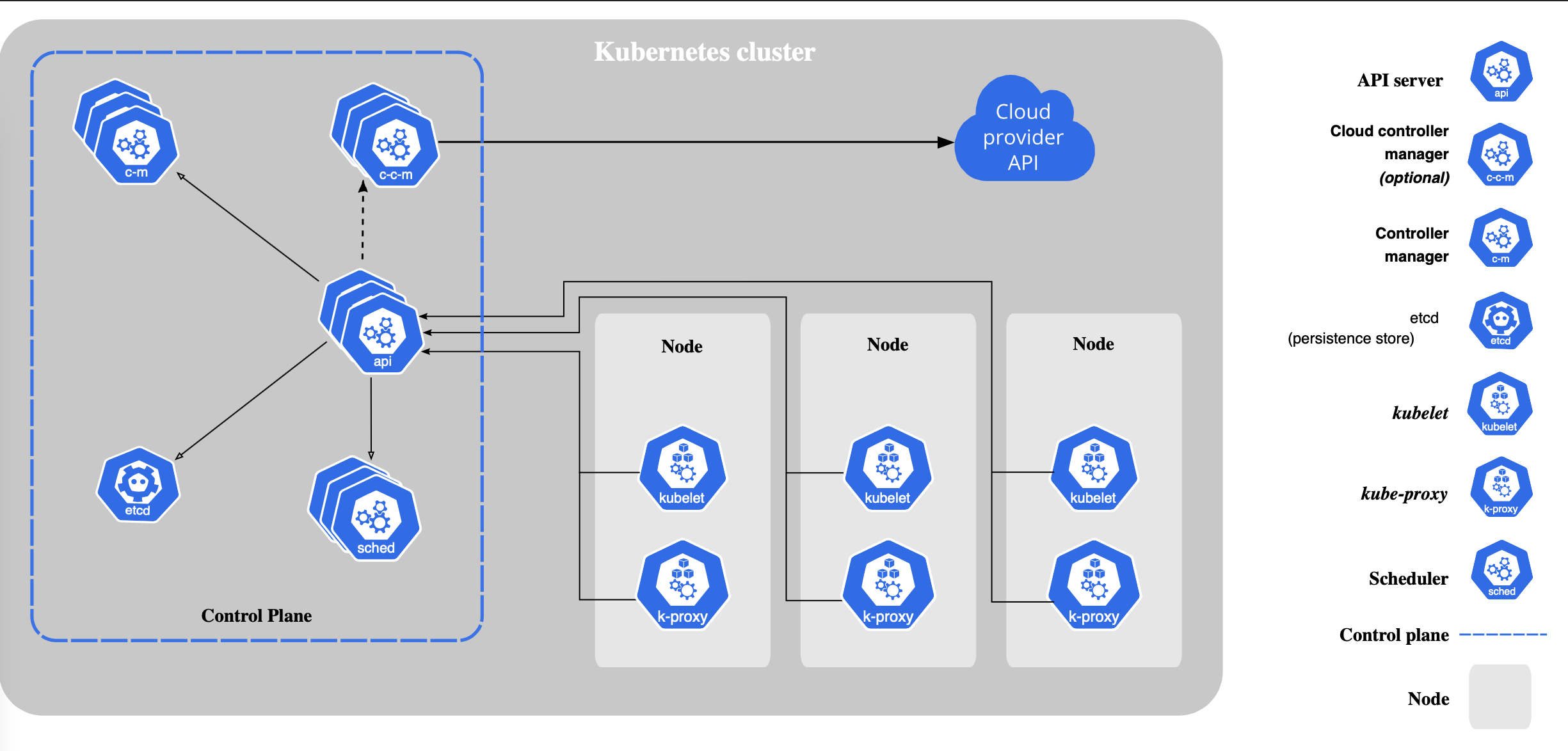
kubernetes 是一个分布式的集群管理系统,在每个节点(node)上都要运行一个 worker 对容器进行生命周期的管理,这个 worker 程序就是 kubelet。
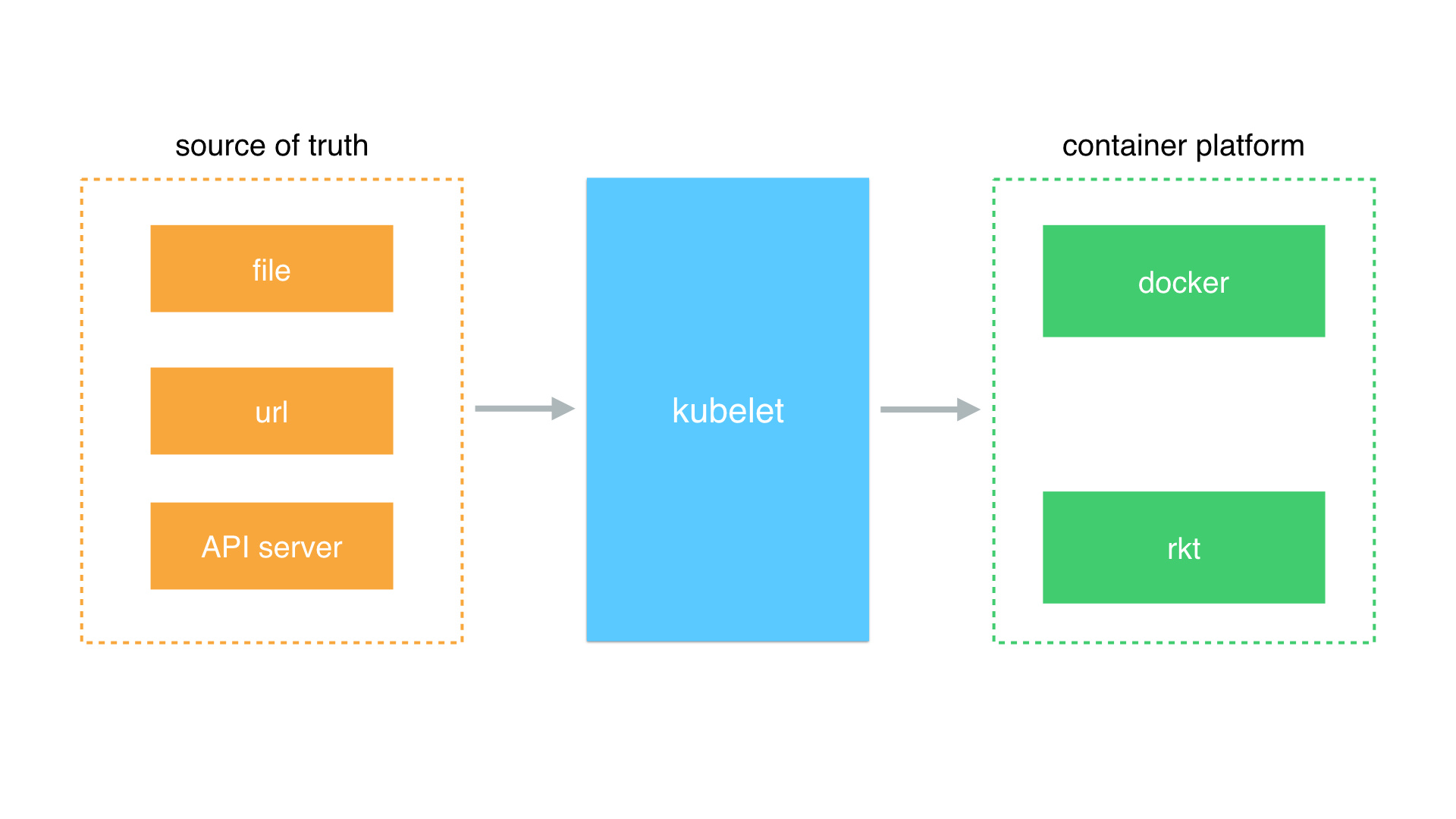
简单地说,kubelet 的主要功能就是定时从某个地方获取节点上 Pod / Container 的期望状态(运行什么容器、运行的副本数量、网络或者存储如何配置等等),并调用对应的容器平台接口达到这个状态。
集群状态下,kubelet 会从 master 上读取信息,但其实 kubelet 还可以从其他地方获取节点的 pod 信息。目前 kubelet 支持三种数据源: